Every time you write for (Order o : orders), Java uses the Iterator pattern behind the scenes. The pattern lets you walk through the elements of a collection without exposing how the collection stores them. Since Java 8, the Iterator pattern has two more abstractions built on the same idea: Spliterator for parallel traversal and Stream for declarative processing. This article starts with the plain Iterator pattern, moves through Iterable and the for-each loop, and ends with how Spliterator and Stream extend it.
This article is part of the Java & Design Patterns series and follows State pattern and an order state machine and Chain of Responsibility: filter chains in Servlets and Spring Security. The code ran on JDK 21 (OpenJDK 21) on an Apple M4 machine with 16 GB of RAM, and the output blocks in this article are pasted as-is from that run.
The problem the Iterator pattern solves
Suppose a retail system has a product category tree, an in-memory list of orders, and a list of orders fetched from a paginated API. These three data sources are stored in three different ways: a tree, an array, and pages loaded on demand. If every place that consumes the data has to know how to walk each structure, the traversal logic gets mixed into business logic and repeated in many places.
According to refactoring.guru, the Iterator pattern lets you traverse the elements of a collection without exposing its underlying representation. Traversal is separated from storage: the collection only needs to return an iterator, and client code works through two interfaces. Each iterator in the Iterator pattern keeps its own progress, so several iterators can walk the same collection independently.
Structure of the Iterator pattern in Java
| Role (GoF) | In the JDK | In this article's example |
|---|---|---|
| Iterator | java.util.Iterator | Anonymous iterator inside CategoryTree |
| Concrete iterator | Nested classes in ArrayList, HashMap... | DFS traversal, BFS traversal, PagedIterator |
| Aggregate (Collection) | java.lang.Iterable | CategoryTree implements Iterable |
| Client | for-each loop, forEach | main |
According to the Iterator Javadoc, the interface has two required methods, hasNext() and next(), plus two default methods: remove() (optional, throws UnsupportedOperationException by default) and forEachRemaining. The documentation also says Iterator replaces Enumeration, with two differences: it allows removing elements during traversal, and its method names are clearer. Iterable, on the other hand, has a single abstract method, iterator() (plus the default methods forEach and spliterator()), and its presence is what lets an object appear to the right of the colon in a for-each loop.
Implementing the Iterator pattern for a category tree
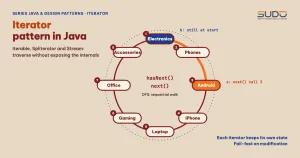
To implement the Iterator pattern, the first example is a product category tree. CategoryTree implements Iterable and returns an iterator that walks depth-first (DFS). Instead of recursion, the iterator keeps a Deque stack, which lets it pause and resume between next() calls and avoids a StackOverflowError on very deep trees. A second iterator walks the same tree breadth-first (BFS).
    /** Collection: returns an iterator without exposing the internal structure. */
    static class CategoryTree implements Iterable<Category> {
        private final Category root;
        CategoryTree(Category root) { this.root = root; }

        /** Default: depth-first traversal, using a self-managed Deque instead of recursion. */
        @Override public Iterator<Category> iterator() {
            return new Iterator<>() {
                private final Deque<Category> stack = new ArrayDeque<>(List.of(root));
                public boolean hasNext() { return !stack.isEmpty(); }
                public Category next() {
                    if (stack.isEmpty()) throw new NoSuchElementException();
                    Category c = stack.pop();
                    for (int i = c.children.size() - 1; i >= 0; i--) stack.push(c.children.get(i));
                    return c;
                }
            };
        }

        /** Second iterator over the same tree: breadth-first traversal. */
        Iterable<Category> breadthFirst() {
            return () -> new Iterator<>() {
                private final Deque<Category> queue = new ArrayDeque<>(List.of(root));
                public boolean hasNext() { return !queue.isEmpty(); }
                public Category next() {
                    Category c = queue.remove();          // throws NoSuchElementException when empty
                    queue.addAll(c.children);
                    return c;
                }
            };
        }
    }
The main method demonstrates the Iterator pattern: it traverses with for-each and with BFS, checks that two iterators are independent, and finally switches to a Stream. Running java TreeIterators.java produces this output for the Iterator pattern:
DFS (for-each): Electronics | Phones | Android | iPhone | Laptop | Gaming | Office | Accessories |
BFS           : Electronics | Phones | Laptop | Accessories | Android | iPhone | Gaming | Office |
a called next() 3rd time -> Android, b just called next() 1st time -> Electronics
Leaf categories: Android, iPhone, Gaming, Office, Accessories
Three points stand out. First, DFS and BFS give two different orders over the same structure while the client code stays the same, which is the benefit of separating traversal from storage. Second, the two iterators a and b keep separate state: a has called next() twice and its third call returns "Android", while b has only just started and gets "Electronics". Third, the last line shows that the Iterator pattern plugs into Stream with just StreamSupport.stream(tree.spliterator(), false), because Iterable has a default spliterator() method that wraps your iterator.
The Iterator pattern has a contract that next() must follow: when there are no more elements it must throw NoSuchElementException, not return null. In the BFS iterator, Deque.remove() already does this. In the DFS iterator, we check explicitly.
Modifying a collection while iterating: fail-fast and the right fixes
The most common mistake with the Iterator pattern is modifying the collection during traversal. According to the ConcurrentModificationException Javadoc, iterators of JDK collections are fail-fast: they detect disallowed modifications and throw an exception rather than continue with undefined results. The documentation stresses that this behavior is best-effort only, is not guaranteed, and should be used to detect bugs, not to keep a program correct. The code below tries five situations:
public class FailFast {
    public static void main(String[] args) {
        // 1. Wrong: removing directly inside a for-each
        List<String> a = new ArrayList<>(List.of("A", "B", "C", "D"));
        try { for (String s : a) if (s.equals("B")) a.remove(s); }
        catch (ConcurrentModificationException e) { System.out.println("1. for-each + remove -> " + e.getClass().getSimpleName()); }

        // 2. Dangerous trick: removing the second-to-last element raises NO error (fail-fast is only best-effort)
        List<String> b = new ArrayList<>(List.of("A", "B", "C", "D"));
        for (String s : b) if (s.equals("C")) b.remove(s);
        System.out.println("2. remove second-to-last -> no error, but D is skipped. Remaining: " + b);

        // 3. Correct: remove through the iterator
        List<String> c = new ArrayList<>(List.of("A", "B", "C", "D"));
        for (Iterator<String> it = c.iterator(); it.hasNext();) if (it.next().equals("B")) it.remove();
        System.out.println("3. iterator.remove     -> " + c);

        // 4. Simpler: removeIf
        List<String> d = new ArrayList<>(List.of("A", "B", "C", "D"));
        d.removeIf(s -> s.equals("B") || s.equals("C"));
        System.out.println("4. removeIf            -> " + d);

        // 5. CopyOnWriteArrayList: the iterator is a snapshot, so no error but changes are not seen
        List<String> e = new CopyOnWriteArrayList<>(List.of("A", "B", "C", "D"));
        StringBuilder seen = new StringBuilder();
        for (String s : e) { seen.append(s); if (s.equals("A")) e.add("E"); }
        System.out.println("5. CopyOnWrite         -> traversed " + seen + ", final list " + e);
    }
}
Actual output:
1. for-each + remove -> ConcurrentModificationException
2. remove second-to-last -> no error, but D is skipped. Remaining: [A, B, D]
3. iterator.remove     -> [A, C, D]
4. removeIf            -> [A, D]
5. CopyOnWrite         -> traversed ABCD, final list [A, B, C, D, E]
Situation 2 is the most memorable trap of the Iterator pattern in Java. Removing "C" (the second-to-last element) inside a for-each loop does not throw an error, because after the removal hasNext() compares the cursor with the new size and returns false, so the loop ends before next() gets a chance to check the modification count. As a result, element "D" is silently skipped. This is exactly what the documentation warns about: no exception does not mean the code is correct. The standard fixes are Iterator.remove() (situation 3) or removeIf (situation 4). Situation 5 uses CopyOnWriteArrayList: its iterator walks a snapshot taken at creation time, so it throws no error but also does not see the newly added "E", and every write has to copy the whole array.
Lazy iterators: traversing paginated data
The strength of the Iterator pattern shows when data is not already in memory. The PagedIterator below simulates a paginated API that returns 25 orders, 10 per page, and calls the next page only when hasNext() needs it. Thanks to the Iterator pattern, client code iterates like over an ordinary list and does not know about pagination.
    static class PagedIterator implements Iterator<String> {
        private int page = 0;
        private Iterator<String> current = List.<String>of().iterator();
        private boolean exhausted = false;

        public boolean hasNext() {
            while (!current.hasNext() && !exhausted) {
                List<String> batch = fetchPage(page++);
                if (batch.isEmpty()) exhausted = true; else current = batch.iterator();
            }
            return current.hasNext();
        }
        public String next() {
            if (!hasNext()) throw new NoSuchElementException();
            return current.next();
        }
    }

    static Stream<String> orders() {
        return StreamSupport.stream(
            Spliterators.spliteratorUnknownSize(new PagedIterator(), Spliterator.ORDERED | Spliterator.NONNULL), false);
    }
Wrap this iterator in a Stream and try three scenarios:
1. Take the first 7 orders with limit(7):
   [API] GET /orders?page=0
   -> [DH-1000, DH-1001, DH-1002, DH-1003, DH-1004, DH-1005, DH-1006], API calls = 1
2. Traverse everything and count:
   [API] GET /orders?page=0
   [API] GET /orders?page=1
   [API] GET /orders?page=2
   [API] GET /orders?page=3
   -> 25 orders, API calls = 4 (page 3 returns empty so we know it is over)
3. With no terminal operation, there are no API calls:
   -> API calls = 0
The results illustrate the lazy nature of a Stream built on the Iterator pattern. According to the java.util.stream package documentation, intermediate operations such as filter and map are always lazy, and traversal of the source starts only when a terminal operation runs. Scenario 3 proves it: with no terminal operation, there are no API calls. Scenario 1 shows that limit(7) needs only one page, saving three calls compared with scenario 2. Note that scenario 2 makes four calls because it must load a fourth (empty) page to know the data has ended, a detail that is easy to miss when you budget API quotas.
Spliterator: the Iterator pattern for parallel processing
The classic Iterator pattern only walks sequentially. The Spliterator Javadoc describes it as an object "for traversing and partitioning elements of a source". The documentation states that this API is designed to support efficient parallel traversal through decomposition, has lower per-element overhead than Iterator, and avoids the race conditions inherent in splitting hasNext() and next() into two methods. Four key methods:
tryAdvance(action): combines "is there one more" and "get the element" into one call, and returnsfalsewhen there are no more.trySplit(): splits off part of the elements for another thread; it may returnnullif it cannot split. For anORDEREDsource, the returned part must be a prefix of the sequence.estimateSize(): estimates the number of remaining elements, and returnsLong.MAX_VALUEif unknown.characteristics(): a set of flags such asORDERED,SIZED,SUBSIZED,IMMUTABLE,DISTINCT,SORTEDthat help the Stream library choose a strategy.
To understand the mechanism, we write our own Spliterator over a range of integers. trySplit splits in half: it returns the first half and keeps the second half, which follows the prefix contract for ordered sources.
    private final int to;        // exclusive
    static final ConcurrentHashMap<String, Integer> THREAD_ITEMS = new ConcurrentHashMap<>();

    RangeSpliterator(int from, int to) { this.from = from; this.to = to; }

    @Override public boolean tryAdvance(Consumer<? super Integer> action) {
        if (from >= to) return false;
        action.accept(from++);
        return true;
    }

    /** Split in half: return the first half (prefix) for another thread, keep the second half. */
    @Override public Spliterator<Integer> trySplit() {
        int size = to - from;
        if (size < 4) return null;
        int mid = from + size / 2;
        RangeSpliterator prefix = new RangeSpliterator(from, mid);
        from = mid;
        return prefix;
    }

    @Override public long estimateSize() { return to - from; }
    @Override public int characteristics() { return ORDERED | SIZED | SUBSIZED | IMMUTABLE | NONNULL | DISTINCT; }
The main method splits by hand, compares sequential with parallel, counts the threads that took part, and compares against a Spliterator built from an Iterator. Below is an abridged main (blocks 1 and 4); the full version is in RangeSpliterator.java, run with java RangeSpliterator.java. Output:
    public static void main(String[] args) {
        // 1. Observe the splitting
        RangeSpliterator s = new RangeSpliterator(0, 16);
        System.out.println("Root: size=" + s.estimateSize() + ", exact=" + s.getExactSizeIfKnown());
        Spliterator<Integer> a = s.trySplit();
        Spliterator<Integer> b = s.trySplit();
        System.out.println("After 2 splits: a=" + a.estimateSize() + ", b=" + b.estimateSize() + ", remaining=" + s.estimateSize());
        System.out.println("hasCharacteristics(SIZED)=" + s.hasCharacteristics(Spliterator.SIZED)
            + ", SORTED=" + s.hasCharacteristics(Spliterator.SORTED));
        // ... blocks 2 and 3: compare sequential/parallel, count threads (see the full file)
        // 4. Comparison: how a spliterator built from an Iterator (unknown size) splits
        java.util.List<Integer> src = new java.util.ArrayList<>();
        for (int i = 0; i < 3000; i++) src.add(i);
        Spliterator<Integer> unk = java.util.Spliterators.spliteratorUnknownSize(src.iterator(), ORDERED);
        System.out.println("From Iterator: estimateSize=" + unk.estimateSize() + " (Long.MAX_VALUE = unknown), exact=" + unk.getExactSizeIfKnown());
        Spliterator<Integer> half = unk.trySplit();
        int[] cnt = {0};
        half.forEachRemaining(x -> cnt[0]++);
        System.out.println("First trySplit returned a fixed batch of " + cnt[0] + " elements out of 3000, not half");
        // ... block 5: print the characteristics of ArrayList, HashSet, TreeSet
    }
Root: size=16, exact=16
After 2 splits: a=8, b=4, remaining=4
hasCharacteristics(SIZED)=true, SORTED=false
Sum 0..999999: sequential=499999500000, parallel=499999500000
Threads involved > 1 : true, total elements processed=1000000
From Iterator: estimateSize=9223372036854775807 (Long.MAX_VALUE = unknown), exact=-1
First trySplit returned a fixed batch of 1024 elements out of 3000, not half
ArrayList: ORDERED SIZED SUBSIZED
HashSet : DISTINCT SIZED
TreeSet : ORDERED DISTINCT SORTED SIZEDEach line teaches a lesson about the parallel version of the Iterator pattern. The "Threads involved" line depends on the CPU core count of the machine: a single-core machine may print false. The first lines show that two splits divide 16 elements into 8, 4, and 4 remaining. The sequential and parallel sums are equal (499999500000), and multiple threads really do work together, thanks to the three flags ORDERED, SIZED, and SUBSIZED, which let Stream split evenly.
The "From Iterator" line is the key point: a Spliterator built from an Iterator with spliteratorUnknownSize does not know its size (Long.MAX_VALUE, exact=-1) and trySplit cuts off only a fixed batch (1024 elements out of 3000 in this run; this is a JDK implementation detail, so do not rely on the specific number). The stream package documentation says the same: a Spliterator created from an iterator is still usable but loses size information and splits poorly, while a high-quality Spliterator gives balanced splits with a known size.
The characteristics of the standard collections also match expectations: ArrayList is ORDERED SIZED SUBSIZED, HashSet is DISTINCT SIZED (no order), and TreeSet adds SORTED. This is why list.parallelStream() splits very well while a stream built from an arbitrary Iterator is hard to speed up.
When to use the Iterator pattern, Spliterator, or Stream
| Need | Tool to use |
|---|---|
| Make your class usable in for-each | Implement Iterable with iterator() |
| Remove elements while iterating | Iterator.remove() or removeIf |
| Transform, filter, collect data | Stream (source from stream() or StreamSupport) |
| Data source loaded on demand (paginated API, large file) | Lazy iterator wrapped in a Stream |
| Parallelize a custom source | Spliterator with SIZED and a balanced trySplit |
For most business applications, the Iterator pattern built into the JDK is enough and you do not need to write your own Spliterator. Implement one only when a custom data source is large enough and per-element processing is heavy enough for parallelism to pay off. For small tasks, the cost of splitting work and merging results outweighs the benefit. Measure with JMH before drawing conclusions in real code.
When not to write your own Iterator pattern
According to refactoring.guru, Iterator can be overkill if the application only works with simple collections, and it can be less efficient than direct access to a specialized collection. With ArrayList, the for-each loop already uses the JDK iterator, so writing an extra wrapper class for the Iterator pattern gains nothing. Implement the Iterator pattern yourself when the structure has a non-obvious way to traverse (trees, graphs, lazily loaded data), when you need several traversal orders, or when you want to hide the internal structure from client code.
For a uniform object tree, combine it with the Composite pattern: treating object trees uniformly: Composite handles the structure, and Iterator handles how to walk it. Refactoring.guru also notes this pairing, as well as combining Iterator with Visitor to run an operation over elements of different classes.
Common mistakes with the Iterator pattern
These mistakes show up most often when using or implementing the Iterator pattern.
- Modifying the collection in a for-each when using the Iterator pattern: causes
ConcurrentModificationExceptionor, worse, silently skips elements as in situation 2 above. next()without an end check: returningnullinstead of throwingNoSuchElementExceptionbreaks the contract.- Reusing a Stream: per the documentation, a Stream can be traversed only once, and calling a terminal operation a second time throws
IllegalStateException. Create a new Stream from the source. hasNext()with side effects that cannot be repeated: inPagedIterator,hasNext()may call the API. Make sure repeated consecutive calls do not reload a page, like thewhileloop in the code above.- Sharing an iterator between threads: iterators and Spliterators are not thread-safe. The Spliterator documentation says behavior is undefined if two threads operate on the same spliterator.
- Forgetting to close resources: an iterator that reads a file or connection needs to be closed; for a Stream from
Files.lines, use try-with-resources.
Iterator pattern checklist
- A collection class following the Iterator pattern implements
Iterableso it works in for-each and getsspliterator()for free. - Each call to
iterator()returns a new, independent iterator. next()throwsNoSuchElementExceptionwhen exhausted; implementremove()only if you truly support it.- Remove during traversal with
Iterator.remove()orremoveIf, never through the original collection. - For lazily loaded sources, defer loading until needed and state the cost of each
hasNext()clearly. - To go parallel, declare
SIZEDand implement a balancedtrySplit; measure before choosing parallel.
Re-run all the examples with runall.sh in the article's code folder (JDK 21, running each file directly with java File.java).
Next article
The Iterator pattern lets us walk through a data structure element by element without knowing what is inside. After the Iterator pattern, the next article covers two patterns about coordinating components and saving state for restoration: Mediator pattern and Memento: coordinating components and saving state.