The Facade pattern puts a simple class in front of a group of complex classes, so a client calls one method instead of orchestrating five or six services in the right order. In a retail system, "place order" usually means reserving stock, calculating the price, charging payment, creating a shipment, and sending a notification, plus rollback logic for when a step fails halfway through. This article covers the Facade pattern in Java through a working order-placement example written for Java 17. It walks through the structure, error handling and rollback, and how to tell Facade apart from Adapter, Proxy, and Mediator. It also covers the cases where a Facade turns into a "god object" that you should avoid.
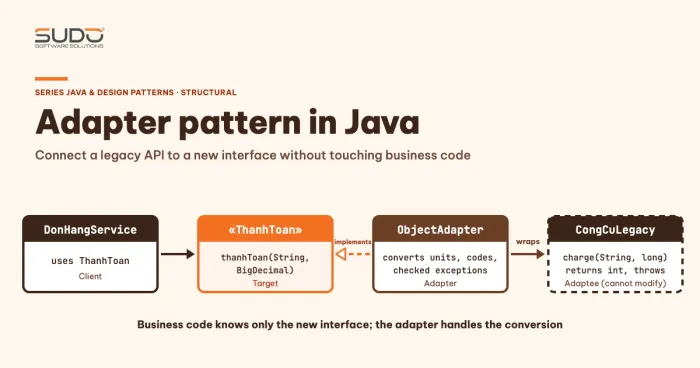
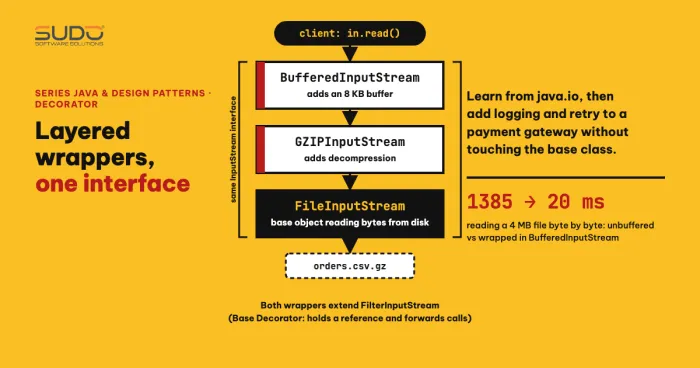
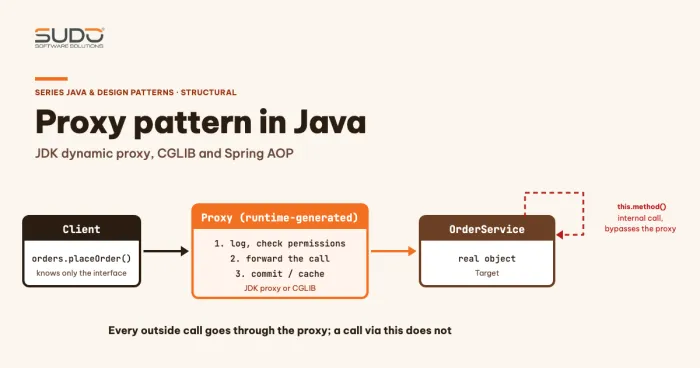
In this series, the patterns closest to Facade are the ones that wrap objects: Adapter pattern: connecting legacy APIs to new interfaces, Decorator pattern: lessons from java.io applied to services, and Proxy pattern: JDK dynamic proxies, CGLIB and Spring AOP. The Facade pattern also "stands in front of" other objects, but its goal is to simplify an entire subsystem, not a single object. The related design foundations are in SOLID principles in Java with practical examples, especially the Interface Segregation principle.
The problem: the client has to know too much
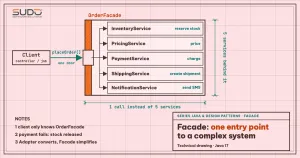
Suppose you have five services: InventoryService (stock), PricingService (price and shipping fee), PaymentService, ShippingService, and NotificationService. A web controller, a job that imports orders from an e-commerce marketplace, and an internal staff tool all need to "place an order". If each of them orchestrates the five services on its own, you run into three problems.
- Duplicated logic. The call order, the way the total is calculated, and the rollback rules get copied into three places. Changing one rule means changing three places.
- High coupling. All three depend on five concrete classes. Switching shipping providers forces changes in all three.
- Easy to get wrong. Forgetting to release stock when a payment fails is a serious business bug, yet nothing forces the client author to remember it.
The Facade pattern gathers the orchestration into one place. The client only knows placeOrder(request).
Structure of the Facade pattern
According to refactoring.guru, the Facade pattern "provides a simplified interface to a library, a framework, or any other complex set of classes". The components are:
| Role | Responsibility | In the order example |
|---|---|---|
| Facade | Provides convenient access to part of the subsystem and knows which component to forward each request to | OrderFacade |
| Additional Facade | A secondary facade that keeps one facade from growing too broad | You could split out a RefundFacade |
| Subsystem | Many interdependent objects that do not know the facade exists | Inventory, pricing, payment, shipping, notification |
| Client | Calls the facade instead of calling the subsystem directly | Controller, order import job |
Two characteristics of the Facade pattern matter most. First, the subsystem does not know the facade exists, so you can add a Facade pattern to a running system without changing the old classes. Second, a facade does not forbid direct access: a client that needs advanced features can still call the subsystem directly. The Facade pattern is a convenient shortcut, not a wall.
Implementing the Facade pattern: one entry point for order placement
The sub-services in the example are small in-memory classes, enough to show the orchestration flow. Inventory can reserve and release stock, payment can reject a charge that exceeds the limit, and shipping can fail when there is no route. The code snippets in this article are a trimmed version of code/s6-09/src/FacadeDemo.java (with the System.out.println lines, the bodies of release and refund, and the declarations of the other four services left out). The full code, which was run to produce the output below, is in that file:
static class InventoryService {
    private final Map<String, Integer> stock = new HashMap<>(Map.of("SP-001", 5, "SP-002", 0));
    boolean reserve(String sku, int qty) {
        int cur = stock.getOrDefault(sku, 0);
        if (cur < qty) return false;
        stock.put(sku, cur - qty);
        System.out.println("   [inventory] reserve " + qty + " x " + sku + ", " + stock.get(sku) + " left");
        return true;
    }
    void release(String sku, int qty) { /* add the stock back */ }
}

static class PaymentService {
    private final long limit;
    PaymentService(long limit) { this.limit = limit; }
    String charge(String customer, long amount) {
        if (amount > limit) throw new IllegalStateException("card declined: " + amount + " > limit " + limit);
        return "TXN-" + customer + "-" + amount;
    }
    void refund(String txn) { /* refund the payment */ }
}
Here the Facade pattern receives the five services through its constructor (it does not new them itself, which makes them easy to replace in tests) and encapsulates the whole flow:
record OrderRequest(String customer, String sku, int qty, String city) {}
record OrderResult(boolean ok, String message, String txn, String shipment) {}

static class OrderFacade {
    // ... five services received through the constructor ...

    OrderResult placeOrder(OrderRequest r) {
        if (!inventory.reserve(r.sku(), r.qty())) {
            return new OrderResult(false, "out of stock " + r.sku(), null, null);
        }
        try {
            long amount = pricing.total(r.sku(), r.qty()) + pricing.shippingFee(r.city());
            String txn = payment.charge(r.customer(), amount);
            try {
                String shipment = shipping.createShipment(r.city(), r.sku(), r.qty());
                notification.sms(r.customer(), "Order " + r.sku() + " x" + r.qty() + " confirmed");
                return new OrderResult(true, "success", txn, shipment);
            } catch (RuntimeException e) {
                payment.refund(txn);
                throw e;
            }
        } catch (RuntimeException e) {
            inventory.release(r.sku(), r.qty());
            return new OrderResult(false, e.getMessage(), null, null);
        }
    }
}
The client no longer sees inventory, pricing, or shipping. The most valuable part is in the failure branches: the facade is the only place that knows the rollback order. The code uses only Java 17 features (records, Map.of); the command java --source 17 FacadeDemo.java runs on a newer JDK and produces the real output below. The success and out-of-stock cases:
=== 1. Order placed successfully (the client calls one method) ===
   [inventory] reserve 2 x SP-001, 3 left
   [payment] charge 260000 VND -> TXN-KH01-260000
   [shipping] create shipment VD-462-SP-001
   [notification] send to KH01: Order SP-001 x2 confirmed
OrderResult[ok=true, message=success, txn=TXN-KH01-260000, shipment=VD-462-SP-001]
=== 2. Out of stock ===
OrderResult[ok=false, message=out of stock SP-002, txn=null, shipment=null]
The total of 260,000 VND is 2 items at 120,000 each plus a 20,000 delivery fee for inner-city Hanoi. For the out-of-stock order, the facade returns a failure result immediately without touching payment. The two remaining failure scenarios show the rollback:
=== 3. Payment declined -> Facade releases the stock ===
Stock SP-001 before: 3
   [inventory] reserve 3 x SP-001, 0 left
   [inventory] release 3 x SP-001, 3 left
OrderResult[ok=false, message=card declined: 395000 > limit 300000, txn=null, shipment=null]
Stock SP-001 after: 3
=== 3b. Shipping fails -> Facade refunds, then releases the stock ===
   [inventory] reserve 1 x SP-001, 2 left
   [payment] charge 155000 VND -> TXN-KH04-155000
   [payment] refund TXN-KH04-155000
   [inventory] release 1 x SP-001, 3 left
OrderResult[ok=false, message=no delivery route to Remote Island, txn=null, shipment=null]
Stock SP-001 after: 3
In scenario 3, stock is 3 both before and after: the facade returned the items it had reserved. In scenario 3b, the failure happens at the third step, so the facade refunds the payment first and then releases the stock, which is the reverse of the order in which the steps ran. This is the part that a client orchestrating on its own can easily forget.
One honest note about the Facade pattern: this example runs in a single process, so "rollback in code" is enough. When the services are separate systems connected over a network, a rollback can itself fail, messages can be duplicated, and you need mechanisms such as idempotency keys and sagas. The Facade pattern is still a reasonable place to put the orchestration, but do not treat the catch blocks above as sufficient for a distributed environment.
Using the Facade pattern correctly
A few design decisions are worth weighing when you implement the Facade pattern:
- Return type. The example uses
OrderResultwith anokflag for expected business failures (out of stock, card declined). Unexpected failures such as a lost connection should be exceptions. Keeping the two kinds separate lets the client handle each clearly. - Interface or concrete class. If there are many clients or you need to fake the facade in tests, have it implement an
OrderPlacinginterface. Clients then depend on the interface, in the spirit of Dependency Inversion. - No complex business rules. A facade should orchestrate, not calculate. Fee and promotion calculations still belong in
PricingService. - Scope by context. One facade per business context (placing orders, returns, reporting), not one facade for the whole system.
The Facade pattern in the JDK and popular libraries
You have used the Facade pattern many times without necessarily noticing:
- SLF4J. The official manual opens with the sentence "The Simple Logging Facade for Java (SLF4J) serves as a simple facade or abstraction for various logging frameworks". Application code calls a single API, and the backend (Logback, reload4j, java.util.logging, and so on) is chosen at deployment time.
- Utility classes such as
java.nio.file.Files. A singleFiles.readString(path)call hides opening the channel, decoding, reading, and closing the resource. It is a convenient shortcut to a larger subsystem, in the spirit of the Facade pattern, even though the JDK documentation does not call it by that name. - Spring
JdbcTemplateand similar Template/Client classes. They wrap obtaining a connection, creating a statement, handling exceptions, and closing resources behind a few methods. Many sources place them close to Facade in their goal of simplification, but they also apply Template Method, so this is a blurry boundary.
The common sign: a small API in front, a large subsystem behind it, and ordinary users never need to look inside.
Facade pattern vs Adapter, Proxy, and Mediator
These four patterns, including the Facade pattern, all sit between two parties, so they are easy to confuse. The table below summarizes them following refactoring.guru:
| Pattern | How many objects it wraps | Interface | Purpose |
|---|---|---|---|
| Facade | Many objects (a whole subsystem) | A new, simpler interface | Simplify how the subsystem is used |
| Adapter | Usually one object | Converts to the interface the client expects | Make two mismatched interfaces work together |
| Proxy | One object | Keeps the same interface | Control access |
| Mediator | Many objects | Components know only the mediator | Centralize communication between components |
The difference between the Facade pattern and Mediator is worth remembering: a Facade adds no new functionality, and the subsystem objects can still talk to each other directly. A Mediator forces components to communicate through it, and they do not know each other. A Proxy shares its interface with the real object, so the two can be swapped; a Facade exposes a different interface. A quick way to remember it: Adapter changes the shape, Proxy keeps the shape and guards the door, and Facade collapses many doors into one.
When not to use the Facade pattern
The main drawback of the Facade pattern is stated in the pattern's own documentation: a facade can become a god object coupled to every class in the application. These are the signs that you are entering dangerous territory:
- The facade has dozens of unrelated methods. Split it into several facades by business context (Additional Facade).
- The Facade pattern is stuffed with business rules. When an
ifthat calculates a promotion shows up in the facade, that logic belongs to a dedicated service. - Every change touches the facade. If every new feature means editing the same class, it carries too many responsibilities.
- The subsystem is already simple. Wrapping two calls in another layer only adds a useless middle layer.
- The facade hides errors the client needs to handle. If every failure is swallowed into
ok=false, the client cannot tell user errors from system errors.
Common mistakes with the Facade pattern
- Forgetting to roll back a step in the Facade pattern. Every step that succeeded before the failure point needs a compensating action, in reverse order. Write a test for each failure point, like scenarios 3 and 3b above.
- The facade creates the subsystem with
new. This makes it hard to replace in tests. Receive dependencies through the constructor as in the example. - Forbidding direct access to the subsystem when using the Facade pattern. This turns the facade into a bottleneck instead of a shortcut; let advanced features go straight through.
- Using the facade to hold state. A facade should hold no business state; state belongs to the subsystem or the data store.
- Confusing it with a service layer. In a Spring application, the service class usually already does the orchestration. Name something
OrderFacadeonly when it really hides several services.
Facade pattern checklist
- Apply the Facade pattern only when two or more clients orchestrate the same chain of services.
- The facade only orchestrates and rolls back; it holds no business rules.
- Dependencies come in through the constructor, and clients depend on an interface when needed.
- Every failure point has a compensating action and its own test.
- One Facade pattern per business context; split it when it grows large.
- The subsystem stays directly accessible for advanced needs.
- If the subsystem runs over a network, add idempotency and a saga-style compensation mechanism.
Next article
The Facade pattern reduces many objects to a single entry point; the next pattern solves a different structural problem, which is treating a single node and a whole group of nodes the same way in one tree. To revisit the previous pattern, read Proxy pattern: JDK dynamic proxies, CGLIB and Spring AOP. The next article in the series: Composite pattern: treating object trees uniformly.